Slido is a new service that makes it easy to insert interactive quiz and poll questions into your Google Slides presentations. The free teacher account allows for 1 topic and 3 polls per event. Pricing.
Monday, January 13, 2020
Slido- Polls for Google Slides
Slido is a new service that makes it easy to insert interactive quiz and poll questions into your Google Slides presentations. The free teacher account allows for 1 topic and 3 polls per event. Pricing.
Discovery Education's Educational Partners
Discovery Education has recently added some more Educational Partners. Check out the list to see what is available in your subject area. They've grouped their partners by STEM Programs, Social Emotional Learning and Global Citizenry, Health and Wellness, and Financial Literacy and Economics. See Penney Matos for CHS's code to sign up!
Chromebook App Hub
Google for Education has put together this awesome resource for educators: Chromebook App Hub. Filter ideas by idea category, age range, subject, and learning goal and filter apps by app category, age range, and language. I recommend you bookmark the site and visit often!
Monday, January 6, 2020
Canvas Level 2 & Level 3 Reminder
Welcome to 2020! This is a great time to reflect on how your Canvas experience went last semester and make a plan for the rest of the school year.
Canvas Level 2 includes announcements, different ways of adding files, ways to create assignments for students to submit online work, creating quizzes, importing content from other classes or from ExamView, and exploring Commons to see what others have shared.
Canvas Level 3 includes Discussions, Analytics, Outcomes (tracking student performance on TEKS), Mastery Paths (personalized learning), and Groups & Collaborations.
Learning can be completed in any order within the level. Level 2 must be completed before accessing Level 3.
As a reminder, CHS has a Campus Action Plan goal that at least 25% of teachers will complete (and implement) Level 2 and at least 10% of teachers will complete (and implement) Level 3. Please help us achieve and exceed this goal!
For your personal T-TESS goal, you must implement the skills within your Canvas course.
Please see Penney Matos for help with anything Canvas related!
Canvas Level 2 includes announcements, different ways of adding files, ways to create assignments for students to submit online work, creating quizzes, importing content from other classes or from ExamView, and exploring Commons to see what others have shared.
Canvas Level 3 includes Discussions, Analytics, Outcomes (tracking student performance on TEKS), Mastery Paths (personalized learning), and Groups & Collaborations.
Learning can be completed in any order within the level. Level 2 must be completed before accessing Level 3.
As a reminder, CHS has a Campus Action Plan goal that at least 25% of teachers will complete (and implement) Level 2 and at least 10% of teachers will complete (and implement) Level 3. Please help us achieve and exceed this goal!
For your personal T-TESS goal, you must implement the skills within your Canvas course.
Please see Penney Matos for help with anything Canvas related!
Monday, December 16, 2019
Print Canvas Quizzes
Recently (Nov. 4) I posted about a script you can use to print Canvas quizzes. Another DLC just came across a Chrome extension (Canvas Quiz Printer) that does the same thing and is much simpler to use! Yay! Check it out!
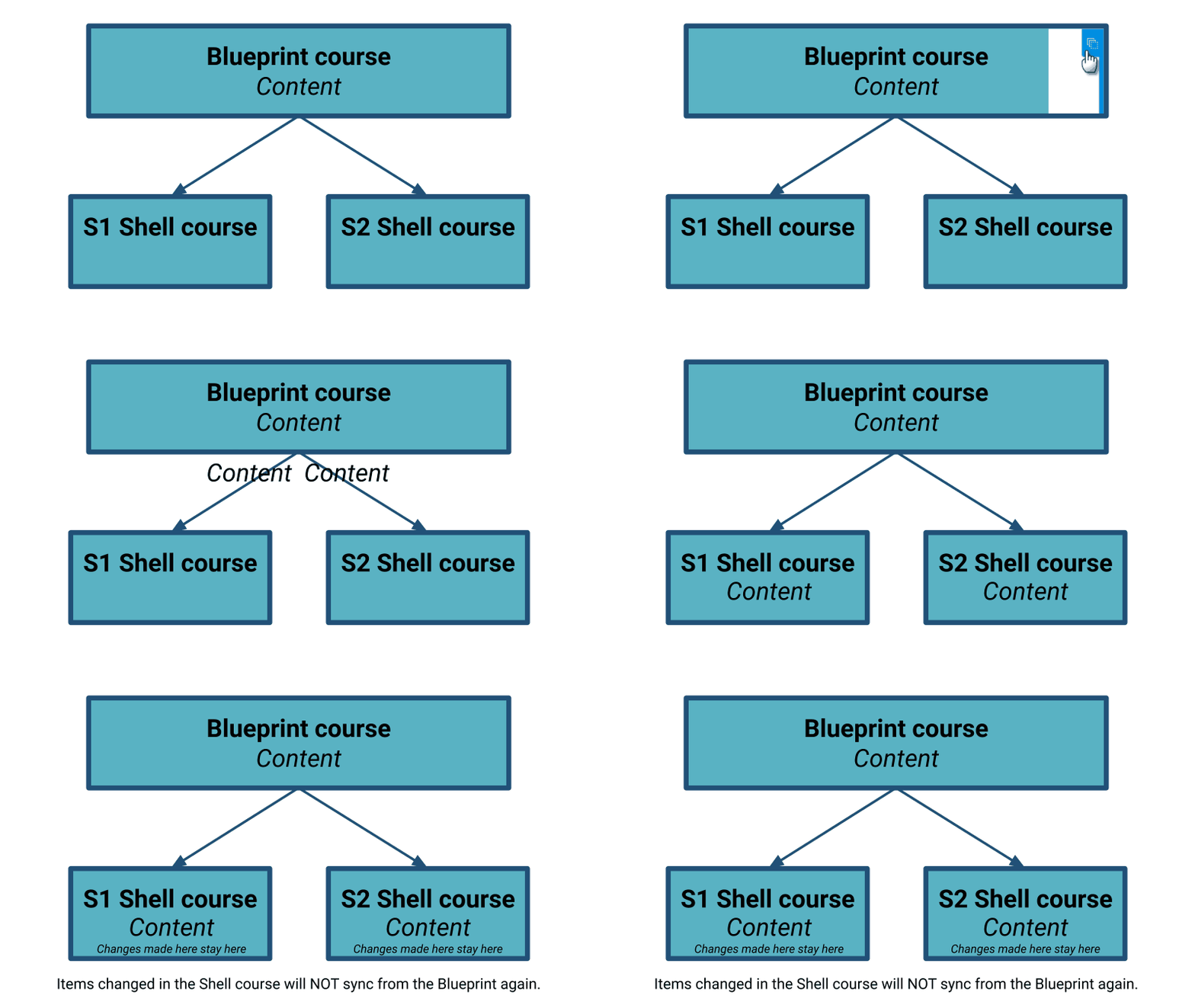
Understanding Canvas Blueprint Syncing in Frisco ISD
Changes made in S1 are not connected to S2.
Lock content in the Blueprint to keep yourself from accidentally editing in the Shell course. Locking from the Blueprint makes you have to go back to the Blueprint to edit content! Content items that are edited in the Shell course will not sync any additional changes made in the Blueprint.
→
Lock content in the Blueprint to keep yourself from accidentally editing in the Shell course. Locking from the Blueprint makes you have to go back to the Blueprint to edit content! Content items that are edited in the Shell course will not sync any additional changes made in the Blueprint.
Updating Canvas Navigation
You may have noticed a few more items show up on course navigation in Canvas. Move the items you’re not using out of student navigation.
LTIs (Learning Tool Integration)
SAVE when done!
LTIs (Learning Tool Integration)
- Cengage- For courses using an online Cengage textbook. You’ll need to contact your C&I coordinator for info on how to activate it if it’s available for your content.
- StudyMate- “The smarter way to make flashcards and learning games.” Accompanies our Frisco ISD subscription to Respondus Lockdown Browser this year. Available for ALL teachers! Read more.
- MasteryConnect- For our MasteryConnect piloting teachers. Paid account required.
- New Analytics- Enable in the shell course to view analytics for your course!
- If you change the Navigation Settings in the Blueprint, the next time you sync, check the box to “Include Course Settings” to push those changes to the S1 & S2 Shell courses for students.
Monday, December 9, 2019
Teaching Digital Citizenship All Year in the Classroom
While it may not sound like a classroom management item, teaching students good digital citizenship can help cut down on off task or distracting behaviors and keep students more focused. Digital citizenship should be taught all year long. Take a few minutes to read Teaching Digital Citizenship All Year in the ClassroomLinks to an external site.) by erintigration.
Ditch That Textbook Digital Summit - Sat, Dec. 21 - Wed, Jan. 8
The Ditch That Textbook Digital Summit is a FREE online conference for teachers, starting on Sat, Dec. 21 and closing on Wed, Jan. 8, 2020.
It brings together some of the brightest minds in education to discuss technology, pedagogy and more.
Watch helpful, inspiring videos with top-notch educators. Generate FREE certificates for professional development credits.
Here are the official
details:
- The
summit opens
on Friday, December 21
- New
videos
will be released daily (except on December 24 and 25)
- All
new videos
will be available by Monday, December 31
- All
previous years' videos will be available through the whole summit
- Videos will become unavailable on Wednesday, January 8, 2020
Register here: ditchsummit.com
Friday, December 6, 2019
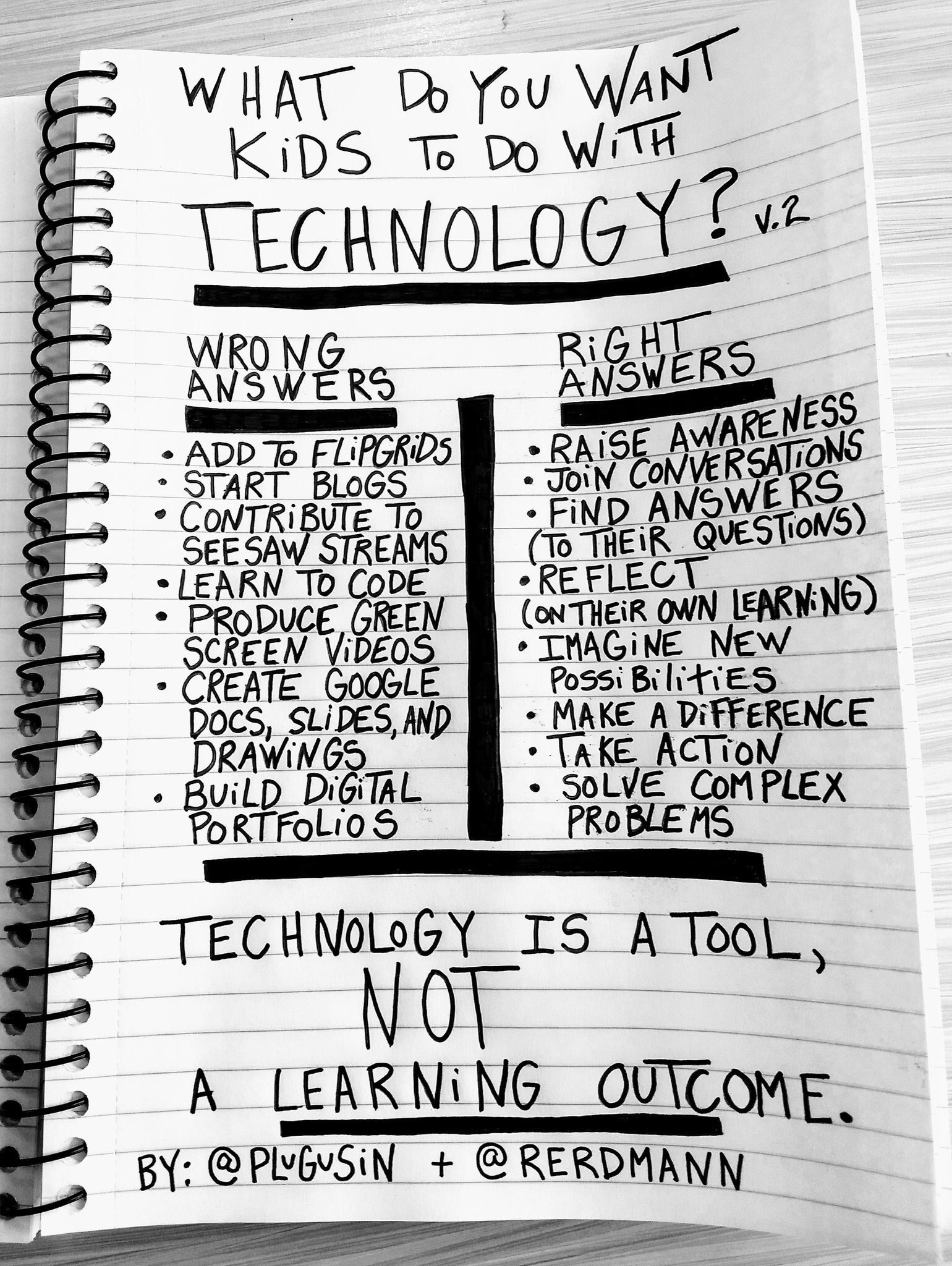
Technology is a classroom TOOL, just like a pencil or textbook
At this morning's faculty learning meeting, I was reminded again that many staff members believe that I believe that technology is always the solution and that restricting student access to technology is always a bad thing.
That can't be farther from the truth.
Technology is a classroom TOOL, just like a dictionary, textbook, pencil, etc. There are times that it's appropriate to use and times that it's not.
When talking with teachers and administrators about options for coming lessons, if technology isn't a good fit for the learning outcome, I'll tell you! Every year I tell at least one person that it's not a good fit for what they're trying to accomplish.
Technology can engage students in different ways.
Technology can assist students in learning when they're ready.
Technology can give students control over the pace of their learning.
Technology can assist higher levels of thinking and in skills needed to be "future-ready".
Technology is not always an appropriate fit.
Subscribe to:
Posts (Atom)