Showing posts with label instruction. Show all posts

Monday, January 14, 2019

Station Rotation Alternatives


Station rotations have been around in education for ages. The newest take incorporates learning with technology (instructional videos, interactive simulations, video recording to show understanding, etc). If you have concerns about the logistics of integrating station rotations in your class, see this article for ideas!
Read more.

Monday, April 25, 2016

Article: 4 Reasons That Technology Might Not Be Helping Them Learn


I will be the first to tell you that technology is not always the best tool for the job. This article, 4 Reasons That Technology Might Not Be Helping Them Learn hits the nail on the head. 

The reasons they list include:
1) You're using technology for technology's sake.
2) The technology distracts from understanding.
3) The teacher is still the audience.
4) You're neglecting authentic student voice & choice.

Read more...

Monday, February 22, 2016

"I got 99 problems but Tech ain't one" from #4OCF


I highly recommend you and your PLC team read over 4 O'Clock Faculty's article "I got 99 problems but Tech ain't one". Great discussion topic for educators. #4OCF

Monday, October 19, 2015

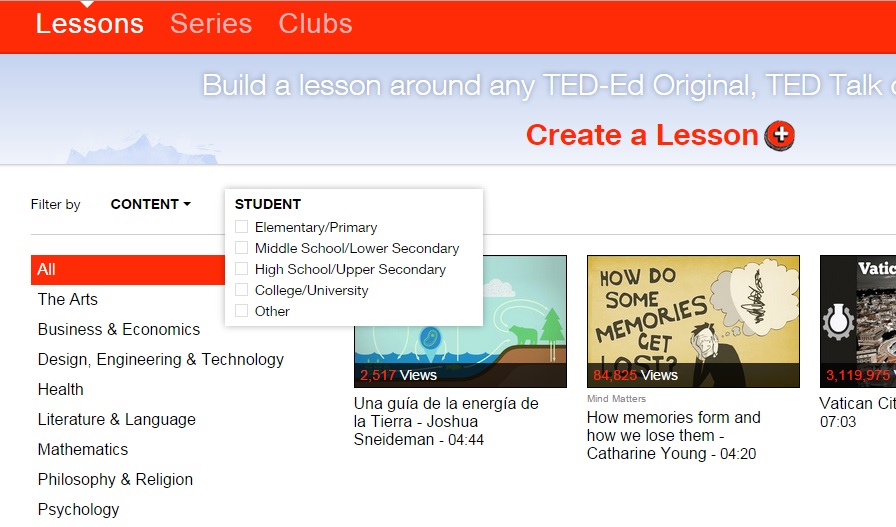
TED-Ed Lessons by Grade Level


You can now search TED-Ed lessons by grade level! This is super handy to help narrow down results that may be more appropriate for use in your class.

For more information, see this article at Edublogs.

Friday, February 6, 2015

Khan Academy revisit

Khan Academy has grown over the past several years and now includes even more subjects. Check out the full list

Khan Academy also now includes not just videos but also interactives, assessments, articles, handouts and more!


Friday, January 23, 2015

Using Google Drive to Improve Student Writing

Carroll ISD recently posted a blog entry on Using Google Drive to Improve Student Writing. It includes several tips and suggestions in addition to a list of helpful Google Docs Add-ons.


PBS Learning Media


PBS Learning Media now offers over 100,000 digital resources in its library for educators!

Read this article for more information or access PBS LearningMedia directly.

Vidra: Video Creator iPad App


If you're looking for an iPad app to easily create explainer and other types of videos, check out the new Vidra app


It’s A LOT like Adobe Voice.
  • Make individual slides and add your voice to each.
  • Large image / clip art library or upload your own
  • Sound library for background music or use your own.
  • Automatically combines slides into a single video.

But what makes this app better(?) is that the video will export to your iPad’s Photo Album and/or Youtube.  So the final video isn’t stuck only on a separate website like Adobe Voice.
  • Also, it doesn’t require an account.
  • You can draw your own sketches.
  • Text boxes are more traditional and have more space.