Slido is a new service that makes it easy to insert interactive quiz and poll questions into your Google Slides presentations. The free teacher account allows for 1 topic and 3 polls per event. Pricing.
Google Docs, Slides, & Sheets have had an offline mode for several years. Recently Google announced some coming changes to their offline access. Read more.
Google recently announced the addition of a highly anticipated feature for Google Slides! Now users can add audio directly to Google Slides! Read more.
Please check out Plano ISD's Tech-tastic blog post about Google Slides Features! It includes information about the real-time closed captioning feature, voice type speaker notes, Q & A history, hotkeys, and places to find new templates! If you or your students use Google Slides, it's worth your time. Read more.
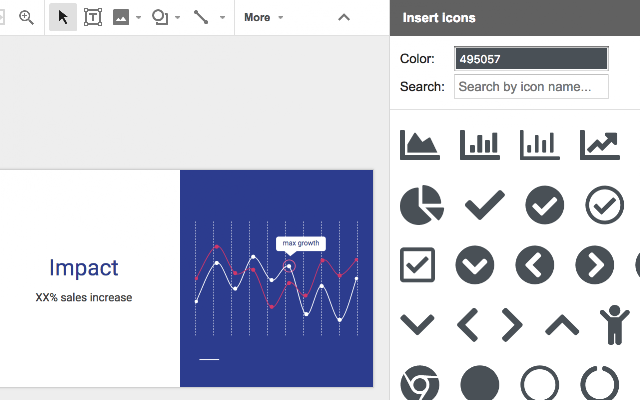
If you ever have a need to insert simple icons into a Google Slide you should check out this add-on: Insert icons for Slides. You can search for icons and easily recolor them to match your theme! Awesome!
.New trick in G suite - You can now type any G Suite app name in the omnibox and add .new to the end and it will create a NEW Doc, Sheet, Slide, Site! Anything to shave off a few seconds of work! #friedfan#GoogleEdupic.twitter.com/41LLF1Phc0
Control Alt Archive put together a list of 9 Awesome Add-ons to Supercharge Google Slides. Keep in mind that not all of them are available through our FISD filter. My favorites include:
Richard Byrne at FreeTech4Teachers has created a great list of Google Add-ons that are helpful in the classroom. Take a look at his list to see what fits your needs and let me know if you have any questions!
Google Slides recently added a Q & A feature, allowing audience members to be active participants in presentations. Check out this blog post on the new feature.
If you or your students present from an iPad or iPhone, check out this article.
Richard Byrne of Free Tech 4 Teachers put together a short video and article on formatting tables in Google Docs and Slides. The video shows how to use table features directly in your Doc or Slide and the article also references the Table Formatter Doc Add-on. Check it out!
For teachers who use Google docs with students for assignments on a regular basis, Google Classroom can be a wonderful tool. It also can be linked from your Student Learning Hub site.