Showing posts with label Chrome Web Store. Show all posts

Monday, January 13, 2020

Chromebook App Hub


Google for Education has put together this awesome resource for educators: Chromebook App Hub. Filter ideas by idea category, age range, subject, and learning goal and filter apps by app category, age range, and language. I recommend you bookmark the site and visit often! 

Monday, October 23, 2017

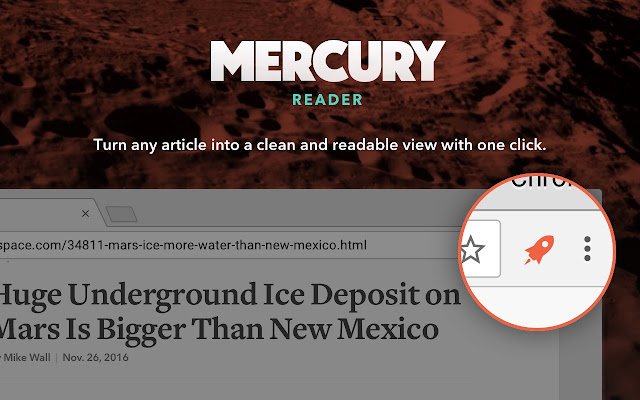
Chrome Extension: Mercury Reader


The Mercury Reader Chrome Extension for Chrome removes ads and distractions, leaving only text and images for a clean and consistent reading view on every site.

Features: 

- Disable surrounding webpage noise and clutter with one click 
- Send To Kindle functionality 
- Adjust typeface and text size, and toggle between light or dark themes 
- Quick keyboard shortcut to switch to Reader on any article page 
- Printing optimization

Monday, April 24, 2017

Monday, February 6, 2017

AnyoneCanView Chrome Extension


Alice Keeler has created a Chrome Extension called AnyoneCanView which makes it super easy (one click) to share Google files so Anyone Can View and also copies the share URL onto your clipboard. Watch the video below for more.


Monday, December 12, 2016

20 Chrome Extensions, Web Apps, & Add-ons for Math


I recently came across this list of 20 Chrome Extensions, Web Apps, & Add-ons for Math. A few are geared toward elementary but there are several that could be helpful at the high school level. Take a look!

21 Chrome Extensions for Struggling Students and Special Needs


Check out this list of 21 Chrome Extensions for Struggling Students and Special Needs. There are several helpful Chrome extensions that you may want to investigate further. The list includes Test-to-Speech extensions, Readability extensions, Reading Comprehension extensions, Focus extensions, & Navigation extensions. 

Monday, September 12, 2016

Alternatives for TechSmith's Snag-it, Knowmia, Screenchomp


Richard Byrne at FreeTech4Teachers has come up with a list of alternatives for TechSmith's discontinued Snag-it's Chrome extension, and Knowmia & Screenchomp iPad apps. 
Click to read.

Tuesday, May 5, 2015

Monday, April 20, 2015

Chrome Extensions for Teachers

Here are a few handy Chrome extensions:

Time Warp kindly reminds you not to procrastinate when you need to get things done. 


SnagIt is a quick screen capture tool. With TechSmith SnagIt's Chrome App, you can screen capture, screen record, image edit and share. With TechSmith SnagIt's Google Chrome Extension, you can take screenshots or screen recordings of anything on your screen including your browser, desktop and applications you have running.  


For more ideas, check out this list: Chrome Extensions for Teachers

Thursday, April 2, 2015

Find apps for your Chromebook

To help support your classroom use of Chromebooks, Google put together this list of "Find apps for your Chromebook". 

It’s a list of “If you want to… On a Chromebook, you could use…” and includes things like making a presentation, organizing notes, edit a video, create music and much more.

Let me know if you would like help exploring any of these!

Tuesday, March 31, 2015

Monday, December 8, 2014

Storing Non-Google Files in Drive

http://youtu.be/bqLQR1E60EQ

Amy Mayer addresses your default upload conversion setting, uploading non-Google compatable files (like Photoshop, images, etc) and a Chrome extension that lets you edit Word, Excel and PowerPoint documents without converting to the Google format. 

Thursday, December 4, 2014

GeoGebra


GeoGebra is dynamic mathematics software for all levels of education that brings together geometry, algebra, spreadsheets, graphing, statistics and calculus in one easy-to-use package.

It looks worth investigating more…

Rockin' around the Geome-TREE
Educator Tom Rose of Chowchilla High School in California uses Geogebra, a free web app, to bring complicated math concepts to life.

“The app’s ability to move things around and dynamically see what changes and what doesn’t goes much further than the most well-written lecture notes,” Rose says. “Students love working with GeoGebra, and have no problem loudly saying ‘YES!’ when I tell them it’s ‘a GeoGebra day’ rather than another slideshow from Mr. Rose.”
 GeoGebra materials

Wednesday, November 5, 2014

TCEA's List of Recommended Chrome Apps and Extensions


Check out TCEA's list of recommended Chrome Apps and Extensions
If you would like any of these pushed out to students at our campus, please contact Penney Matos.