Showing posts with label google classroom. Show all posts

Monday, May 14, 2018

Google Classroom Clean-Up


As the end of the school year approaches, if you use Google Classroom, you should consider how you want to clean it up to prepare for next year. Eric Curts at Control Alt Achieve put together this list of 6 End-Of-Year Google Classroom Clean-up Tips.

Monday, January 22, 2018

Differentiation with Google Classroom


See this video for how you can use Google Classroom for differentiation by assigning different assignments, announcements, or questions to different students.

Monday, September 25, 2017

Add these to your online classes!

These are some helpful links to add to your Google Classroom classes and your Learning Hub page. 

Google Classroom -- 
On the About tab, click Add class materials... then fill in the information (#1, 2, 3) and Post (#4).


This is what it looks like on a student's phone:

Learning Hub -- 
1- In your course, click Add Resource.
2- Make sure Topic list is the targeted location (this is the top of the page under the CHS logo).
3- Click URL.
4- Copy and paste in the information. 
5- Change Appearance to New Window.

6- Click Save and return to course.


Links to share
YouTube login directions
URL: https://docs.google.com/document/d/1ZjPDWLiKkAGPkR8p7Y2r4ghLpKki5vuSqMBYuhypbmM/edit?usp=sharing

Filter login directions
URL: https://docs.google.com/document/d/1z5SvQwugeRUJRJeh1P-TODVDPZ3OeYkdrckI0oeslCM/edit?usp=sharing


Monday, June 19, 2017

What's New in Google Classroom

If you haven't looked through the list of new features for Google Classroom lately, I recommend you take a peek. We don't have Gmail for staff members so many of those features don't work for us but the others do. See Penney Matos with questions! Read more.

Tuesday, May 30, 2017

6 End-of-Year Tips for Google Classroom


If you use Google Classroom with your students, check out this list of 6 End-of-Year Tips for Google Classroom as part of your end-of-year clean-up. Read more.

Monday, February 6, 2017

Google Classroom: Updated Notifications


Google Classroom has added to the list of items for which it will send you a notification. Read more. 

From Google's Help:
As a teacher in Classroom, you can set up notifications for certain activities. You can also customize how you receive notifications on your mobile device. You can get a notification whenever: 
  • A student submits work a second time, after it’s been returned from a teacher.
  • A student sends you a private note.
  • A student submits work after the due date.
  • A teacher invites you to teach a course as an additional teacher.
  • Someone comments on your post.
  • Someone mentions you in a post or comment.

Monday, January 23, 2017

Differentiation with Google Classroom


Google Classroom recently added the ability to select individual students for assignments. This makes it so much easier to differentiate and give specific assignments to specific students! Awesome!

Monday, September 12, 2016

Annotate PDFs, images, and more with Google Classroom app


Recently, Google added the ability to annotate on Google docs, images, PDFs and MS Office documents to its Google Classroom mobile app. This is awesome news for teachers and students wanting to annotate, especially from iPads, Google tablets, and both Android phones and iPhones. Read more:

Monday, August 29, 2016

Integrating Digital Citizenship in your Google Classroom


If you use Google Classroom with your students I highly recommend you take a look at this article. It addresses easy ways you can integrate digital citizenship through your Google Classroom course. 

Monday, May 9, 2016

Wednesday, May 4, 2016

Google Classroom: Schedule Posts

Google Classroom just added a new option for posts: Schedule. 
I know, so handy!


See this video for more information:

Monday, March 21, 2016

Google Classroom: Share from Gale


Any resources found through Gale (access through MackinVia) can be shared directly with your students through Google Classroom.

Instructions for adding a Gale item to the Google Classroom linked here.
Instructions for downloading a Gale article (with notes and highlights) to Google Drive linked here.
Video tutorial on using Gale with Google Classroom linked here.

Video tutorial on adding Gale resources to Google Drive linked here.

Monday, March 14, 2016

Google Docs: Voice Typing


Voice typing is now a built-in feature for Google Docs. This is fabulous news for slower typers. You just need a microphone (built in, mic'd headset, AVer doc cam, etc). Say punctuation (ex: "how are you question mark") for it to be included. 

For help and tips, check out Google's Type with Your Voice help.


Monday, March 7, 2016

Google Classroom: Assignments


When adding an assignment in Google Classroom, if you are providing a template that you want students to type in and click Turn In when finished, the item you attach must be in Google Docs format and attach it using the Drive icon. Click on the picture above for a larger view.

Thursday, March 3, 2016

Google Classroom: Notifications

It's a good idea to turn off your email notifications and also have your students turn off their notifications too. 

On computer (teachers and students):
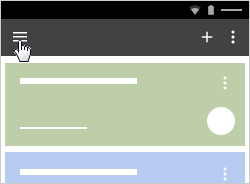
Click the 3 lines in the top left corner.
Select Settings.
Un-check the box.

On mobile app (teachers and students):
When installing the app, when asked "Classroom would like to send you notifications" select Don't Allow.

If notifications were turned on (Allow) initially, to change...
From the Google Classroom mobile app...
  Click the 3 lines in the top left
  Select Settings
  Select Notifications
  Turn off all notifications
  Go back to Classroom
  Select Done

Monday, December 14, 2015

Group Assignments in Google Classroom

If you use or are interested in using Google Classroom and are looking for help with Group assignments, check out Google Gooru's Create Group Assignments in Google Classroom post. It's super helpful!

Monday, November 30, 2015

3 Best Training Sessions for Educators using Google Apps

Google Gooru recently posted their 3 Best Training Sessions for Educators using Google Apps. The list includes (1) A Deep Dive into Google Classroom, (2) Automate the Grading Process with Flubaroo, and (3) The Benefits of Deploying Chromebooks. I recommend you take a look!

Monday, November 2, 2015

Library/Tech Exbooo Resources

Thank you to everyone who was able to make it by the Library/Tech Exbooo on Friday. Please click here for the information that was shared at the stations: (1) Learning Hub, (2) Google Apps, (3) Digital Citizenship, (4) Google Classroom

As always, please let Penney Matos and Tammy Turner know if there's anything we can do to help support you and your classes!


Monday, October 19, 2015

Getting Started with Google Classroom

Amy Mayer recently posted a video on Getting Started with Google Classroom. It walks you through signing up, looking at class information, assignments and more.