If you're looking to add voice recordings to Google things using the Mote Chrome extension, see Free Tech 4 Teachers posts linked below:
Showing posts with label google docs. Show all posts
Monday, August 16, 2021
Monday, January 4, 2021
Google Docs Update
You can now create some pages in Google Docs to be landscape and others to be portrait in the same document. Create and work with documents that contain multiple page orientations in Google Docs.
Monday, October 26, 2020
Google's Citation Tools
Last week, CHS Librarian, Dr. Turner, shared Google's new citation tools. This was her message about it:
Guess what Google just
released - a new citation tool! I have played around with it, and it is both
user-friendly and accurate! Here's a blog post about it
from TCEA (Texas Computer Education Association). ... It's so easy to
format correctly now! Let me know if you have any questions or want help using
this new tool (or anything else). 🙂
Check it out!
Monday, May 4, 2020
Monday, January 20, 2020
Grackle Your Google Docs for readability and ADA Compliance
Teachers and students often don't consider ease of reading a document or ADA compliance but you should. The Google Add-on Grackel can help! It identifies things that can make your documents, slides, and sheets easier to navigate like titles, headings, alt text on images, colors on the page, etc. Grackle has already been added to the list of available add-ons and extensions for CHS students. Read more.
Tuesday, October 15, 2019
Google file viewing options
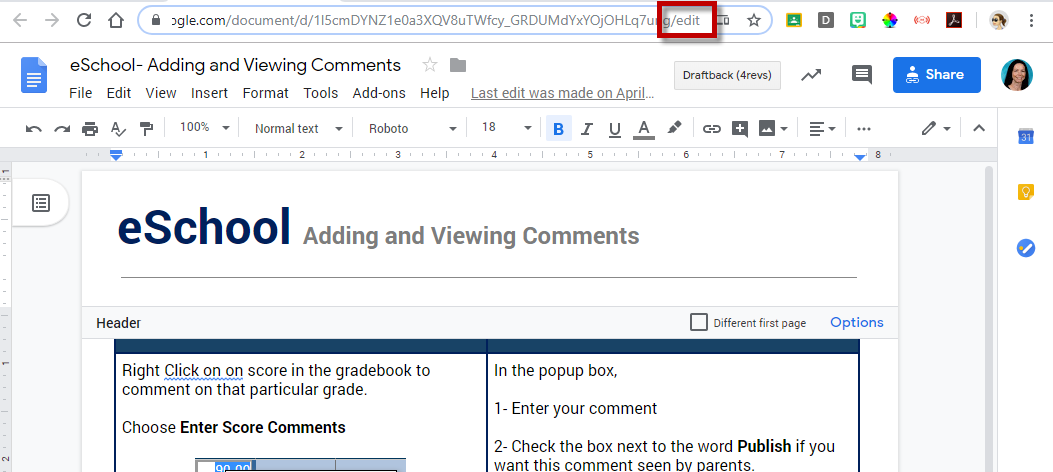
When sharing a Google Doc, Sheet, etc. with others, the ending of the URL matters. Change from the "/" to the end of the URL to be...
/edit
Opens the file with your editing rights.
/copy
Forces users to "Make a Copy" of the file.
/view
Opens the file with View Only rights (unless you have editing rights to the file).
/preview
Opens the file in a preview, without the Google Editing navigation. This is a very "clean" way to view a file. This is a great way to preview a file that was shared with the "/copy" ending before making a copy of it.
/edit
Opens the file with your editing rights.
/copy
Forces users to "Make a Copy" of the file.
/view
Opens the file with View Only rights (unless you have editing rights to the file).
/preview
Opens the file in a preview, without the Google Editing navigation. This is a very "clean" way to view a file. This is a great way to preview a file that was shared with the "/copy" ending before making a copy of it.
For additional Google file tricks, see this site.
Monday, May 13, 2019
Use Google Files Offline
Google Docs, Slides, & Sheets have had an offline mode for several years. Recently Google announced some coming changes to their offline access. Read more.
Monday, December 3, 2018
FISD Webinar: Checkmark
Do you find leaving comments for students in Google Docs/Slides cumbersome?
Would you like to speed up the process of providing student feedback or having students leave feedback for each other?
We invite you to a 15 minute Webinar on Wednesday, December 5th at 4:30pm to learn the power of the Google Add-On called Checkmark which helps you leave customized comments in Google Docs and Slides efficiently.
Visit bit.ly/FISDcheckmark on Dec. 5th by 4:30 to grab the link to join the webinar. This webinar will be recorded for later viewing.
Monday, October 29, 2018
NEW Google items with .new
.New trick in G suite - You can now type any G Suite app name in the omnibox and add .new to the end and it will create a NEW Doc, Sheet, Slide, Site! Anything to shave off a few seconds of work! #friedfan #GoogleEdu pic.twitter.com/41LLF1Phc0— friEdTechnology Team (@friEdTechnology) October 26, 2018
Tuesday, May 29, 2018
Google Updates
Google pushes out updates every month or so. The most recent update included these gems:
- Sheets
gets loads of updates including macros, grouping rows and columns,
checkboxes, page breaks, and more - Resource Link, Resource Link
- New
option to insert Google Slides into a Google Doc - Resource Link
- Google
Slides gets guides and rulers - Resource Link
- Google
Sheets gets updates for more options for chart data labels - Resource Link
- Google
Earth adds quiz format to Voyager content with Natural Wonder quiz - Resource Link
Monday, October 30, 2017
Google Add-ons for the Classroom
Richard Byrne at FreeTech4Teachers has created a great list of Google Add-ons that are helpful in the classroom. Take a look at his list to see what fits your needs and let me know if you have any questions!
Monday, August 28, 2017
Google Docs: Web Clipboard
Did you know Google files have a Web clipboard? This isn't just any clipboard. It stores items for 30 DAYS, not just 1 item at a time. Read more about it at technology rocks. seriously.'s post titled "I Didn't Know Google could do THAT: Web Clipboard.
Monday, August 14, 2017
Format Painter
Format Painter is one of the most amazing tools ever! It's available in MS Word, Google Docs, and others. Check out this post from technology rocks. seriously. titled I Didn't Know Google could do THAT: Paint Format. Read more.
Monday, April 3, 2017
Google Docs: Change Case
Now you can more easily change text between lower case, upper case, and title case. Read more. Pick what you choose to yell at your audience wisely.
Monday, March 27, 2017
Google: Doc Stickers
It may seem elementary but even high school students miss getting stickers on their papers. Use Doc Stickers (through Google Keep) to add stickers to their Google based assignments. See Penney Matos for help!
Monday, January 2, 2017
12 Excellent Add-Ons for Google Docs
This list of 12 excellent add-ons for Google Docs is worth your time! It includes details on:
- Revision History Analytics
- SAS Writing Reviser
- Easy Accents
- g(Math)
- Translate
- Highlight Tool
- Rhyme Finder
- Word Cloud Generator
- Pupil Pref
- Doc Tools
- Orange Slice Teacher Rubric
- EasyBib
Labels:
add-ons,
citation,
English,
g(math),
google docs,
language,
LOTE,
math,
rubric,
SpEd,
word cloud
Monday, October 24, 2016
New Google Features
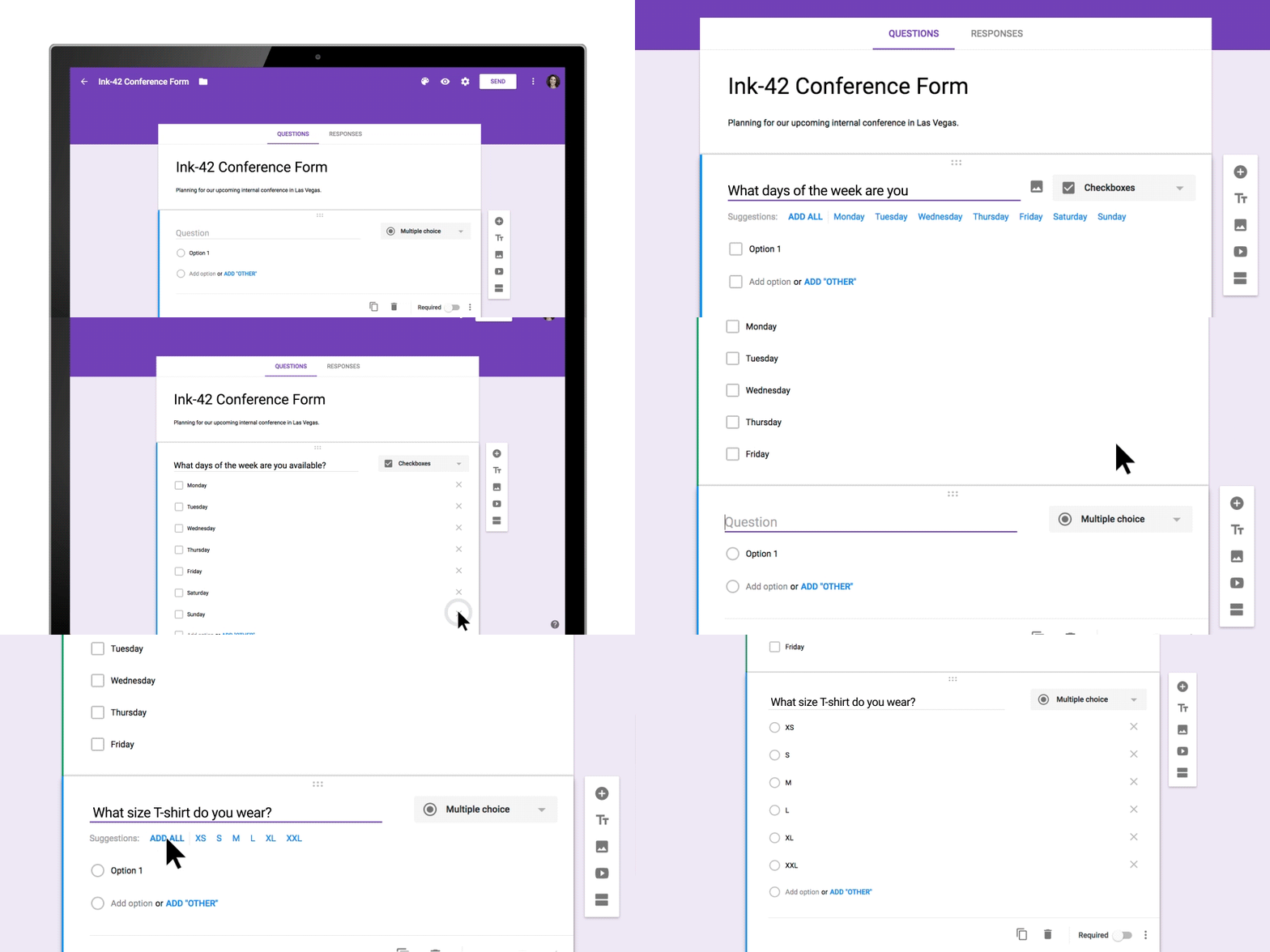
Google has rebranded Google Apps for Education (GAFE) as G Suite. Along with that recent change, last week they added a few more features to Google Docs and Google Forms. Read more.
Google Docs Add-on: Writing Reviser
It is always
helpful to get a second set of eyes to look over your writing. This might include
peer review, teacher feedback, or even a text to speech tool to hear your words
read back aloud to you. One other helpful tool is the SAS Writing Reviser
Add-on. When you run this tool you can choose from 25 different tests that will
check over your document. These include tests in sentence economy, sentence
variety, sentence power, sentence clarity, and more. This can be helpful to
give students additional insight into their writing and some possible
corrections or improvement they may make when revising.
To add an
Add-on:
Open a
Google Drive Doc and select Add-ons. Then search for SAS and add. J
Monday, March 14, 2016
Google Docs: 3 Helpful Updates
Google released 3 helpful updates for Docs this week.
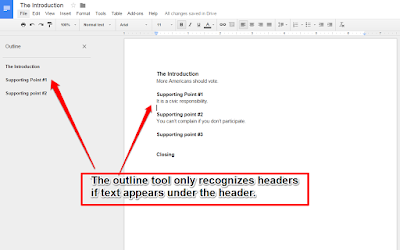
- Document outlining tool (Computer & Android app)
- Export Docs to EPUB format
- Select, copy and paste from the print screen (Android app)
Click here to read more
Google Docs: Voice Typing
Voice typing is now a built-in feature for Google Docs. This is fabulous news for slower typers. You just need a microphone (built in, mic'd headset, AVer doc cam, etc). Say punctuation (ex: "how are you question mark") for it to be included.
For help and tips, check out Google's Type with Your Voice help.
Subscribe to:
Posts (Atom)