Students Googling answers is a world-wide issue. Take a look at this publication from Government of South Africa’s Department for Education and Child Development on creating non-Googleable questions. Take a look through the whole thing. There's some good stuff in there!
This summer you might be planning on a trip that includes time in the outdoors. If so, check out iNaturalist, an online community for sharing pictures and observations of animals and plants. Take pictures of your findings and post them to their collection. You can also explore through their free app (iTunes, Google Play). Enjoy your summer as a Citizen Scientist!
Keep in mind that background music is not covered under Fair Use when you're using copyrighted music, like songs you purchased. Instead, stick to audio found through the resources above or what is already included in the editing software/website/app that you're using.
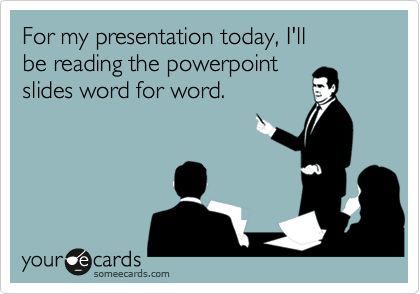
As a part of preparing our students for the world they are headed into, we should teach them how to make GOOD presentations. Slides full of text = BAD presentations! Tips for most presentations:
Use as little text as possible- tell us what we should to know
No sentences (or nearly sentences), unless it's a quote- if we read it, we won't remember any of it
Make images as large as possible
Use a single large image instead of multiple small ones
If using note cards, they should be in bullet point format and not scripted
For Teachers: To make it easier to grade, have students create and turn in 2 products:
a Google Slides presentation (based on the tips above) that will be presented live in class, and
a Google Doc that includes all of the content, research, sources, etc. that you're looking for in the rubric. You can quickly grade the content from that Google Doc and the audience won't be bored to tears with a bad classroom presentation.
Please see your DLC (Penney Matos at CHS) for additional tips and support!
It's not really job related but it's a good idea to check in on your Facebook privacy settings a few times a year. This article from Wired gives tips on where to look and what to look for.
If you're looking for a free green screen app, check out Veescope! Currently it's only available in iTunes. There is a watermark on the video/picture but it's free! If students have access to a Mac (desktop Mac or MacBook, not iPhone or iPad), iMovie also does green screen.
In case you haven't noticed, Titan Tech Tips is now Cen10 Tech Tips located at bit.ly/cen10techtips. It still has all of the CHS specific content you've always found on the site but has the new Google Sites look.
If you or students are having difficulty using Google or other sites on your personal laptop, log in to the portal(portal.friscoisd.org) and install the certificate!