Monday, October 1, 2018
Monday, September 24, 2018
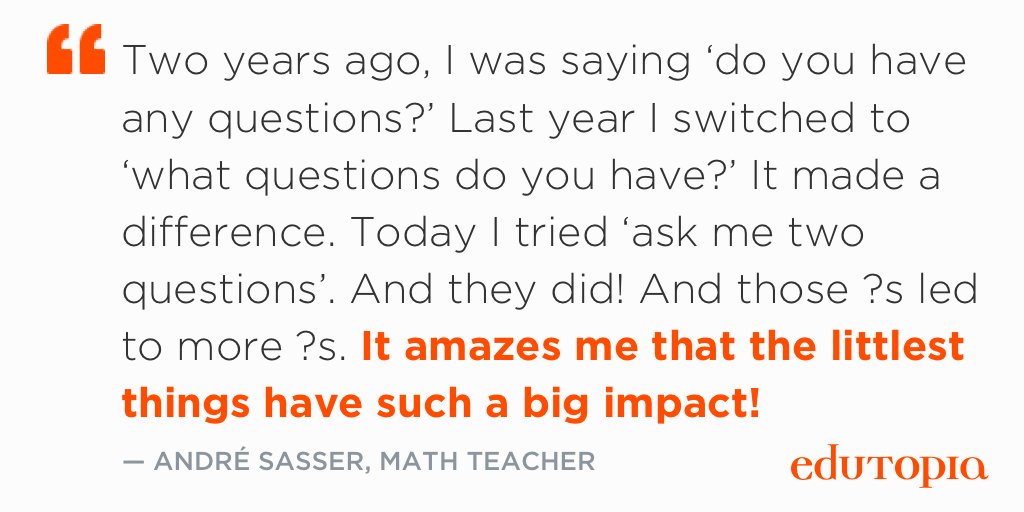
Words matter
Recently I ran across this post from Edutopia and it resonated with me. Words have such a big impact. It's amazing that a change to the question can make a huge impact. Do you spend time thinking of how you word your questions?
Reasons to Use a Backchannel
Richard Byrne recently posted this article on 7 Reasons to Try Using Backchannels in Your Classroom. His reasons include:
- A voice for shy students
- An outlet for chatty students
- To extend classroom discussions
- Post quick warm-up/"do now" activities
- Preserve the flow of a presentation/video
- Create a record of classroom discussion
- Practice good digital citizenship
Backchannel resources:
- Backchannel Chat
- Yo Teach!
- Mentimeter
- Google Slides Q&A feature (how to video, google's directions)
- Todays Meet closed doors 😔
Facebook Friends
There's been a lot of talk recently about ways to outsmart the Facebook algorithms. Take a look at this article from Tech & Learning on The Real Way to Avoid Hearing from the Same 26 Facebook Friends.
Wednesday, August 22, 2018
Modifying PDFs without Adobe Pro
With Windows 10, Adobe Pro (part of Adobe Creative Cloud) is no longer a site license and instead is a per computer, per year license. There are a few things you can do without Adobe CC from the comfort of your classroom computer.
Convert Word, Google Docs, etc. to PDF
Combine Multiple PDFs into a Single File
Remove Pages from a PDF File
Convert Word, Google Docs, etc. to PDF
- Option 1: Save as (or download as) ... PDF
- Option 2: Print to the "Microsoft Print to PDF"
Combine Multiple PDFs into a Single File
- Use the Chrome Extension PDF Mergy
Remove Pages from a PDF File
- Print to the "Microsoft Print to PDF" and select which pages to include, skip the ones you want removed
To edit text within a PDF, you need to either edit the original Word, Google Doc, etc. file and resave as PDF or use the shared computers with Adobe CC installed. They are located:
- shared computers (with Dell scanners) in south & north workrooms
- the 2 student desktop computers in the library
- 2 student computers with it loaded in the Learning Lab
It would be awesome if we could load Adobe Pro (part of Adobe CC) on everyone's computer who wants to use it but without a site license, it's not possible.
Monday, August 20, 2018
Updates for Google Classroom
If you haven't already seen this list, it's worth your time. 9 Updates for Google Classroom (and 3 more to come)
Monday, August 13, 2018
Common Sense Education's Back-to-School List
Common Sense Education recently published their new Essential Back-to-School Tools for Teachers. There might be something useful to you!
Feedback Tools
Recently Richard Byrne posted this list of 10 Tools for Gathering Real-time Feedback from Students. Some are easier to implement than others. Please let me know if you'd like help exploring any of them!
Monday, August 6, 2018
BYOD: A Cell Phone Policy that Works
As a new school year begins, teachers everywhere try to wrap their heads around how cell phones will be handled in their classroom this year. Please consider this blog post: A Cell Phone Policy that Works. It's in line with telling students what they CAN do instead of what they can't do and seems to be much more accepted by students.
Create Your Own Animated GIFs the Easy Way!
Want to impress your students? Check out Richard Byrne's post An Easy Way to Create a GIF From Google Slides and create some animated GIFs of your own the easy way (with the Docs365 GIFmaker add-on)! These can be used to get students' attention, to share screenshots of directions or much more!
Subscribe to:
Posts (Atom)